AI receptionists let you automate scheduling and inquiries so you can focus on shoots; they offer 24/7 automated booking and inquiry handling and reduce missed bookings, but you must manage privacy and mis-scheduling risks through clear protocols. You gain professional intake, automated reminders, and lead qualification while preserving your brand voice, and you can explore specialized options like Photographer Answering Service and Lead Screening to integrate human oversight with AI efficiency.
Key Takeaways:
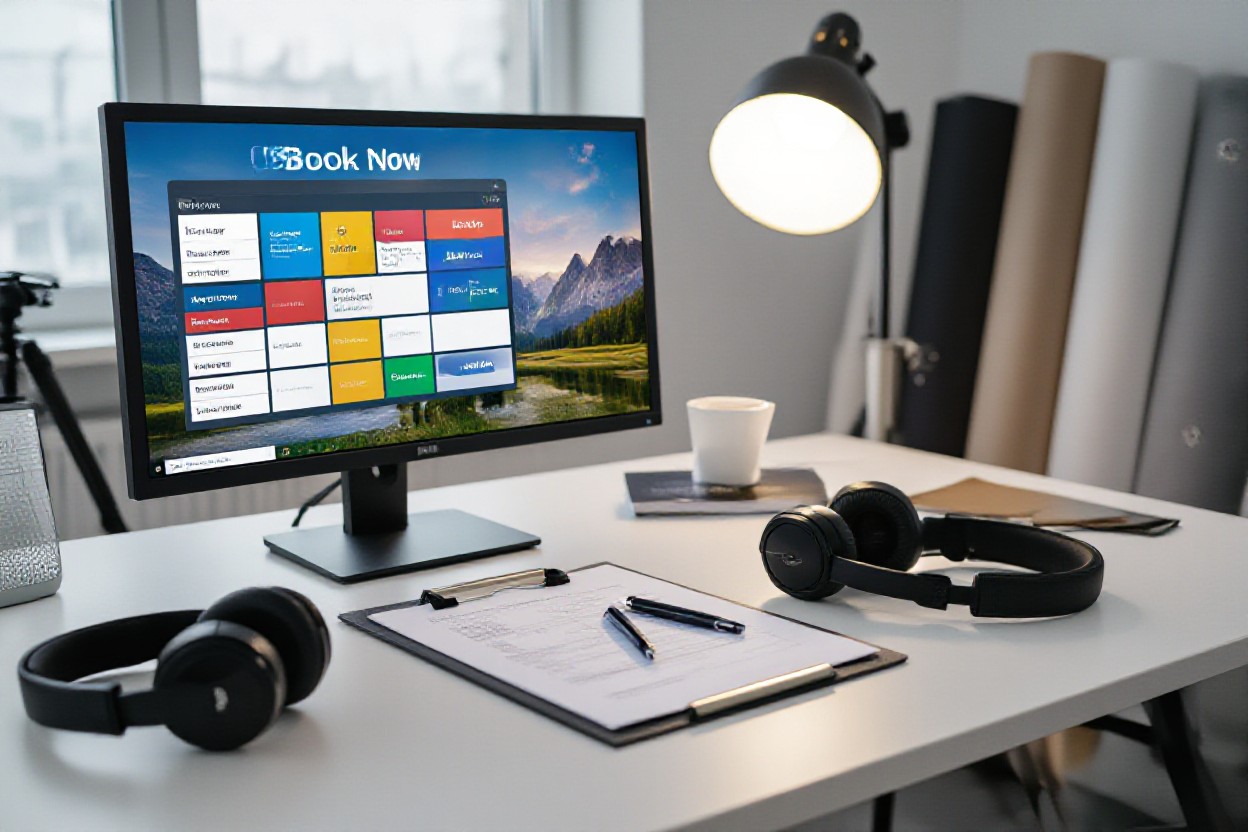
Automates session booking, calendar synchronization, and payment collection to reduce manual scheduling overhead.
Handles inquiries, answers FAQs, provides pricing/package details, and triages complex requests to staff for faster responses.
Delivers 24/7 availability, automated reminders, and personalized follow-ups to improve client experience and reduce no-shows.
Understanding AI Receptionists
You’ll see AI receptionists parsing messages, answering FAQs, scheduling sessions, and escalating complex requests to staff; modern systems can handle thousands of interactions daily and automate roughly 60-80% of routine scheduling. They operate 24/7, send confirmations and reminders, and update your calendars in real time, while posing data-privacy and integration risks if not configured correctly-so you must balance automation gains with secure access controls and clear client consent.
Definition and Functionality
You interact with an AI receptionist through chat, email, or voice; under the hood it uses NLP to detect intent, integrates with Google Calendar, Acuity, HoneyBook or industry CRMs, and can capture deposits or process payments. It routes VIP clients to humans, auto-fills intake forms, and triggers prep checklists; modern intent recognition often reaches 85-95% accuracy for common studio queries, reducing manual triage and speeding bookings.
Benefits for Photography Studios
You gain faster response times, higher booking conversion, and fewer no-shows: automated reminders typically cut no-shows by ~15% and instant replies can lift lead-to-booking rates by 20-30%. Adoption also frees your team for creative work, increases revenue per employee, and standardizes client intake, while you must watch for overbooking and data leaks if integrations or permissions are mismanaged.
You can configure session types, upsells (prints, retouching), and deposit rules so the AI enforces your policies and captures payments before confirmation; for example, a small urban studio reported a ~30% rise in monthly bookings within three months after adding instant booking plus deposits. Track conversion, average booking value, and response time to iterate-apply A/B tests on messaging, and use segmentation to route high-value clients to humans for a white‑glove experience.
Key Features of an AI Receptionist
You’ll get an always-on virtual front desk that handles bookings, inquiries, payments and reminders while syncing with your calendar tools; real studios report up to 40% fewer no-shows and faster response times, and the AI scales to manage overflow without hiring staff.
Automated Booking - instant session confirmations, buffer rules, and hold windows that let you set deposits (e.g., 25% deposit) and cancellation policies.
Calendar Sync - two-way integration with Google Calendar, Outlook, Calendly and studio management systems to prevent double-booking in real time.
Payment Processing - collects deposits and final payments via Stripe/PayPal, supports invoices, and complies with PCI-DSS standards for safe transactions.
Automated Reminders - SMS/email reminders, same-day confirmations and prep instructions that cut no-shows and late arrivals substantially.
Lead Qualification - asks targeted questions about shoot type, date flexibility and budget, scoring leads so you focus on high-value clients.
Multichannel Support - handles Instagram DMs, website chat, email and phone transcription so all inquiries route into a single workflow.
Upsell & Packages - suggests add-ons like prints, retouching, or extra time during booking to increase average order value by an estimated 10-25%.
Data & Privacy Controls - role-based access, encrypted client data, and exportable logs so you control what the AI stores and shares; audit trails reduce risk.
Booking Management
You can automate scheduling rules like prep times, setup buffers, and block blackout dates while the AI enforces your pricing tiers and deposit rules; studios using automated booking workflows typically cut administrative time by over 50%, let clients self-serve reschedules, and reduce manual calendar churn.
Inquiry Handling
The AI triages incoming messages, answers common FAQs about rates and availability, and captures lead details (name, event type, preferred dates, budget) within under 60 seconds for immediate follow-up, increasing lead-to-booking rates through timely responses.
It also runs scripted qualification flows-asking about style (e.g., portrait vs. commercial), turnaround needs, and location-to recommend the right package; one studio increased conversions by ~18% after using automated follow-ups and automated sample galleries. Any complex or high-value inquiries are flagged and routed to you for personalized handling.
Implementing AI Receptionists in Photography Studios
Phase your rollout over 4-8 weeks: pilot one location, train staff for 1-2 days, then expand. You should track KPIs like booking conversion, response time, and cancellation rates; studios often see a 15-30% drop in missed bookings within three months. Use real booking data for testing and keep a rollback plan if automation misroutes inquiries or conflicts with photographer schedules.
Choosing the Right Technology
Evaluate platforms by NLP accuracy, API coverage, and cost: managed services (Dialogflow, Azure Bot Service) run $50-$400/month depending on volume, while self-hosted solutions need more engineering. You want 95%+ intent accuracy for common queries (availability, pricing, package details). Prioritize vendors with prebuilt connectors for calendars and CRMs, and check data residency/GDPR options if you handle EU client data.
Integrating with Existing Systems
Syncing with Google Calendar, Calendly, Studio Ninja, or HoneyBook requires two-way sync so the AI never double-books. Map fields (client name, shoot type, prep notes), use OAuth for secure auth, and set webhooks for real-time updates. Many studios cut double-bookings by ~90% after enabling API-driven reservations and conflict checks.
Plan integration steps: create a staging environment, import ~500 historical bookings for testing, and validate timezone handling and daylight-saving transitions. Implement retry logic (e.g., 3 attempts on API failure), monitor rate limits, and phase rollout (10% → 50% → 100%) while logging mismatches for manual review. Protect production client data during tests and document API keys, scopes, and data mapping for future audits.
Enhancing Customer Experience
You can lift client satisfaction by using AI to anticipate needs, personalize communications, and streamline bookings. For example, an AI receptionist that suggests outfits based on session type, auto-sends prep guides, and offers immediate package quotes can cut manual touches by 40-60%. Many studios that implemented these workflows report faster bookings and a ~20% uplift in completed sessions, while keeping client touchpoints consistent 24/7.
Personalization through AI
AI analyzes past bookings, style preferences, and interaction history so you can present tailored recommendations instantly. Tagging sessions as "newborn," "engagement," or "editorial" enables the system to suggest the right package, upsell prints, and send customized prep checklists; studios that apply this see about a 15% increase in add-on purchases and higher repeat-client rates.
Reducing Response Time
Automating FAQs, availability checks, and intake forms turns hours-long waits into replies under a minute, helping you capture leads while interest is high. AI triage can handle roughly 60-80% of routine inquiries and escalate complex cases to staff, producing higher conversion rates, though you must guard against automated errors and data-handling issues.
Integrate calendar sync and real-time availability so clients see precise slots and pricing immediately, pair that with instant confirmations and reminders to cut no-shows by up to 30%. Use templated replies and staged follow-ups-studios report automated sequences recover about 10-15% of abandoned inquiries. Maintain updated integrations and enforce secure data handling to keep operations smooth and compliant.
Challenges and Considerations
When you deploy an AI Receptionist for Photography Studios, expect trade-offs: handling 60-80% of routine bookings but struggling with complex creative briefs or last‑minute reschedules. You must plan for calendar conflicts, integration with POS/CRM, and training the model on studio‑specific rates and packages. Use automated confirmations plus a human‑in‑the‑loop fallback to avoid lost appointments and to preserve client experience.
Addressing Common Concerns
You’ll face worries about tone, accuracy, and missed leads; mitigate them by creating canned replies, multi‑intent models, and explicit escalation rules (e.g., escalate within 5 minutes for ambiguous requests). Testing with 500+ sample queries and weekly logs can reveal gaps. Prioritize a smooth handoff so high‑value clients always reach a human and your brand voice stays consistent.
Ensuring Data Privacy
You must enforce encryption in transit (TLS 1.2+) and at rest (AES‑256), role‑based access controls, and a Data Processing Agreement with vendors. Keep audit logs and support deletion requests to comply with GDPR/CCPA; anonymize client photos and notes when possible. Make data minimization and secure storage policy pillars so your clients trust booking through AI.
Implement retention limits - for example, purge lead data after 90 days unless converted - and conduct quarterly penetration tests plus SOC 2 or ISO 27001 assessments for third‑party processors. Train staff on phishing and least‑privilege access, and include breach notification timelines (72 hours under GDPR). Document your incident response and keep encrypted backups; transparent policies reduce regulatory risk and build client confidence.
Future Trends in AI for Photography
Innovations on the Horizon
Multimodal AI will analyze lighting, pose, and client intent to auto-generate shot lists and camera settings; Adobe and startups already use neural filters that in pilots cut editing time by up to 80%. On-device inference delivers instant previews during shoots, while generative fill and background replacement enable same-day proofs. Expect AR try-ons for clients and automated pricing suggestions, but be mindful that privacy and copyright issues increase as models ingest client images.
Evolving Roles in Customer Interaction
AI receptionists are moving beyond FAQs into full-service concierges: a New York studio reported a 30% increase in bookings after deploying conversational scheduling, automated deposits, and reminders. You can automate confirmations, upsells, and basic payments while preserving your brand voice with custom prompts. Multilingual support and sentiment detection let you serve broader audiences, though you should define human-escalation triggers for sensitive or complex cases.
For higher-value interactions you should set strict escalation rules-route complex queries to a human within 2 minutes, flag refund or legal requests, and retain transcripts for quality control. Use AI to recommend add-ons (prints, retouch packages) and A/B test messaging to lift average order value by ~10-15%; training models on your last 10,000 booking transcripts helps maintain tone. Encrypt PII and perform regular audits to limit reputational and compliance risks.
To wrap up
Taking this into account, you should adopt an AI receptionist to streamline session booking and handle inquiries reliably; it automates scheduling, intake forms, confirmations, and follow-ups, integrates with your calendar and payment tools, reduces administrative friction, and gives you more time to focus on creative work while maintaining professional client communication.
FAQ
Q: How does an AI receptionist handle booking and scheduling for photography studios?
A: An AI receptionist syncs with your studio calendar (Google, Outlook, or salon-specific systems) to show real-time availability, block prep and travel buffers, and prevent double bookings. It can present custom session types (headshots, family, newborn, bridal), duration, add-on services, and tiered pricing so clients choose the correct slot. The system can require deposits or full prepayment via integrated gateways, send automated confirmations and reminders by email/SMS, and generate digital intake forms to collect shot lists, wardrobe notes, and model releases. When conflicts arise it proposes nearest available alternatives, applies studio rules for priority clients or recurring bookings, and escalates ambiguous cases to a human receptionist with the full chat and booking context.
Q: How does the AI manage inquiries, client qualification, and ongoing communication?
A: The AI handles inbound channels (website chat, Facebook/Instagram messages, SMS, phone IVR transcripts) with templated and contextualized replies, triaging leads by session type, budget, location, and preferred dates. It answers FAQs about pricing, turnaround time, props, and location options, and collects crucial details to qualify leads before booking. It personalizes messages using client data, supports multilingual responses, schedules follow-ups for unconfirmed leads, and can route complex or commission-based inquiries to photographers or managers. Conversation history, attachments, and intake responses are stored for staff review, enabling consistent client communication and faster onboarding.
Q: What should studios consider about data security, payments, and integration when deploying an AI receptionist?
A: Choose a solution that encrypts data in transit and at rest, offers role-based access controls, and provides audit logs for bookings and message history. Confirm compliance options for GDPR/CCPA and contracts for data processing if you store client IDs or photos. For payments, use PCI-compliant gateways (Stripe, PayPal, Square) with tokenization for deposits and refunds, and set cancellation and refund rules in the workflow. Verify integrations with your CRM, accounting software, calendar, and file-storage so contracts, invoices, and final galleries sync automatically. Finally, ensure admin controls let you customize session types, pricing, consent forms, and fallback rules, and that you have reporting dashboards and export tools for bookings, revenue, and client metrics.
Related reading
AI Receptionist for Home Services: Capture Emergency Calls 24/7
Plumbers and contractors can't answer during jobs. AI receptionist captures urgent calls, qualifies jobs, provides quotes, and dispatches emergencies.
AI Receptionist for Veterinary Clinics: Handle Pet Emergencies Around the Clock
Pet emergencies don't wait for business hours. AI receptionist triages urgent calls, schedules wellness visits, and handles prescription refill requests.
AI Receptionist for Property Management: Handle Tenant and Prospect Calls
Property managers juggle tenant maintenance requests and prospect inquiries. AI receptionist routes emergencies, schedules showings, and logs requests.
Never miss another call.
Join 500+ businesses capturing every lead with an AI receptionist that's live in under 20 minutes.